1. Ask for the result you need
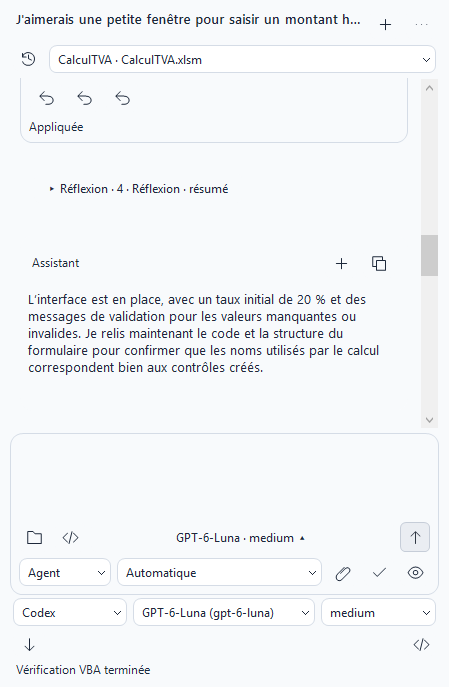
Start with a copy of a project and select it in VBAi. Explain the desired outcome in your own words. You do not need to prescribe every control name or implementation detail.
For this example, the agent built the form and its VBA logic with Codex and GPT-6-Luna, using medium reasoning. Review the generated code rather than treating a finished response as proof of correctness.
Example request
I'd like a small window where I can enter an amount before tax and a VAT rate, then calculate the total including tax. It should explain when an input is invalid.
2. Check the form and its behaviour
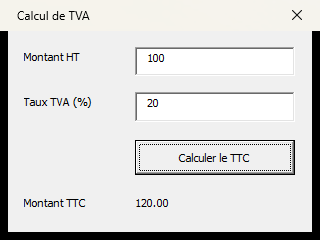
Inspect the UserForm and the code that handles its events. In this example, entering 100 and a 20% rate produces 120.00. Check invalid inputs and boundary cases as well as the happy path.
The assistant can work on controls and properties, but the available native behaviour depends on your host and its references. Test the result in that environment.
3. Request tests explicitly
Do not assume the agent will write tests simply because it implemented the feature. Ask for tests covering the calculation, invalid values and the cases that matter for your macro. Review them before running them on the selected project copy.
The test explorer discovers annotated VBA tests and reports each outcome. An unknown or blocked result needs investigation; it is not a passing test. The worked example includes an earlier successful run and a later uncertain rerun, so it is not a blanket reliability guarantee.
Example request
Now add tests for the calculation and invalid inputs, run them on this test project, and explain any failures or uncertain results.Read test outcomes and scope Recorded validation
4. Turn the macro into versioned sources
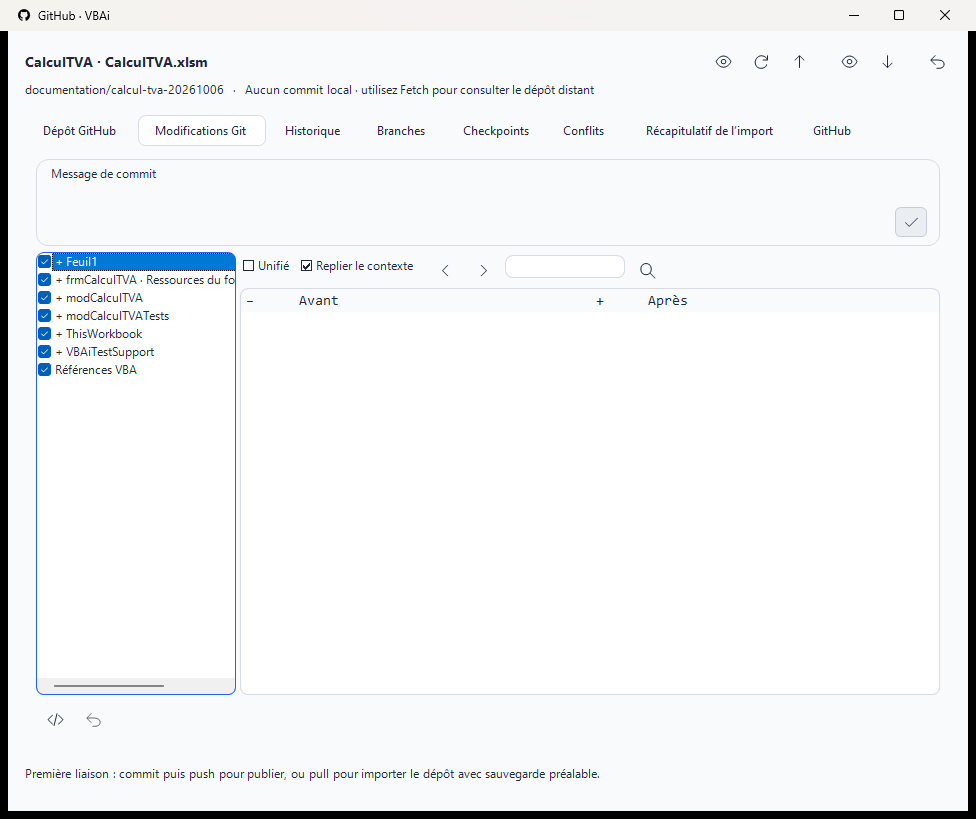
A workbook or SOLIDWORKS macro is a host document, not a Git source tree. VBAi exports components into a separate repository: standard modules as .bas, classes as .cls, and UserForms as .frm with their .frx resources when present.
Review the exported changes before a commit, then publish them to your chosen GitHub repository. A Git commit does not save the open host document. Save in the host as well. When importing sources later, review the plan and retain a backup before changing the live project.
The screenshot lists the form, modules, test support and references selected for the disposable CalculTVA example. The guide explains repository bindings, local cache, remote branches and reviewed import workflows.