01
An agent in the VBE
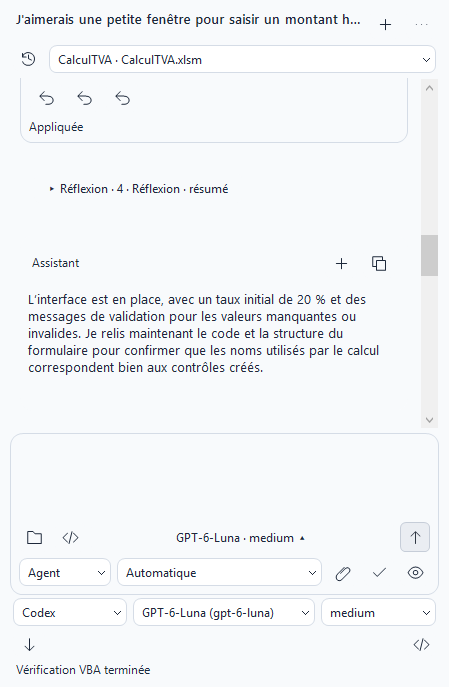
Discussion, Plan and Agent modes, project context, conversation history, and model and reasoning selection.
Explore conversationsWindows x64 · Open source · VBE add-in
VBAi is an AI assistant for Visual Basic for Applications (VBA). Develop Excel macros in the Visual Basic Editor (VBE), review the agent’s changes, and version your modules, classes and UserForms with Git and GitHub.
Built around the shared Visual Basic Editor
GitHub integrated into the VBE
See what changed, keep milestones and share your code. VBAi connects the VBA project open in your application with sources versioned on GitHub.
Modules as .bas, classes as .cls, forms as .frm with .frx resources: code leaves its container and becomes a versioned source tree.
Inspect differences, create commits and work on branches. Checkpoints also preserve milestones in the live VBA project.
Push your commits, browse repositories and pull requests, then import reviewed changes. VBAi backs up the VBA before importing it.
GitHub source control is independent of your AI provider. Use it with Codex, an API or a local model.
VBAi's GitHub view in a real Excel project.
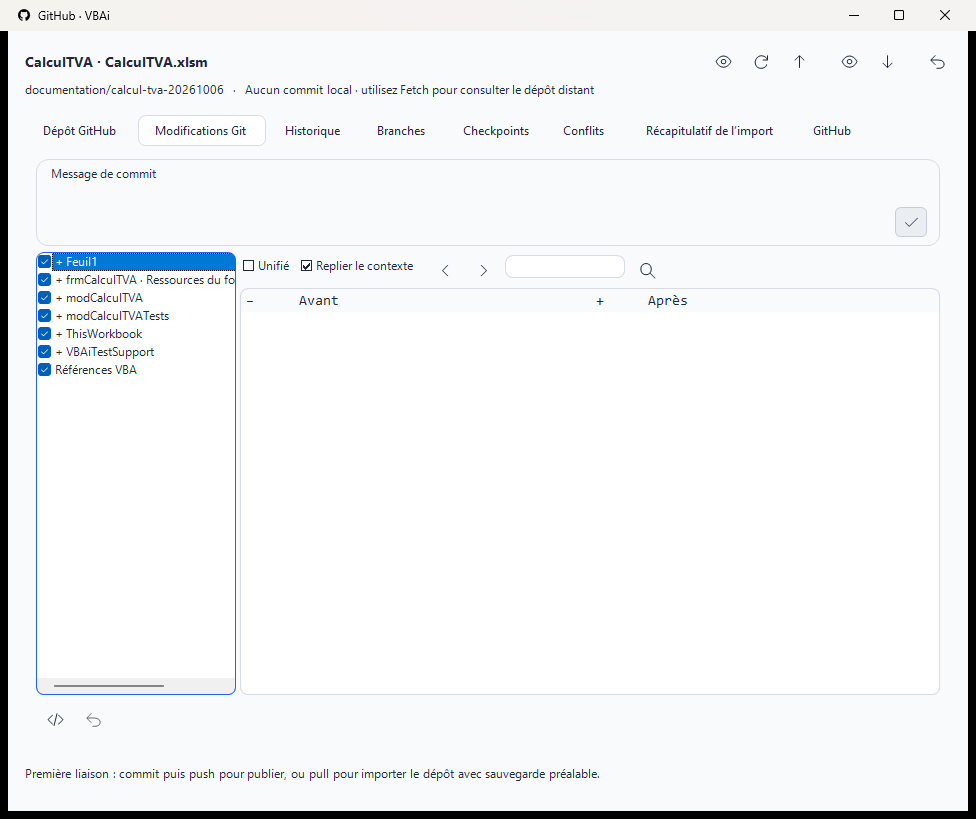
Real screenshots from a disposable Excel project, captured on 6 October 2026. The application interface shown is in French.
An integrated workspace
Talk to an agent, inspect its changes and keep using your host application's VBA workflow.
Discussion, Plan and Agent modes, project context, conversation history, and model and reasoning selection.
Explore conversationsCommits, history, branches, differences and pull requests: work on your macro's sources from VBAi, with a backup before import.
Explore Git and GitHub workflowsMonaco editing with VBA and COM completion, navigation, formatting, drafts and native compilation diagnostics.
Explore the editorCreate forms, work on control properties and layout, and connect the interface to your VBA event code.
Explore the designer toolsDiscover annotated VBA tests, inspect run reports and work with native execution and debugging tools within their supported scope.
Explore the test explorerChoose the project context, operating mode and approval policy. Review changes and use recovery tools when available.
Read about privacy and safeguardsYour choice of AI
Codex is the default integration. Connect another provider or use a local model, then choose the available model in the conversation.
VBAi does not include provider subscriptions or API credits. Model features and tool support depend on the selected provider. Local models need a separately installed server.
Compare connection optionsGive the assistant a task and the VBA project context you choose. It can explain existing code, propose changes and use the available compilation, test and debugging tools. Review edits and test them on a disposable copy before using them in a working workbook.
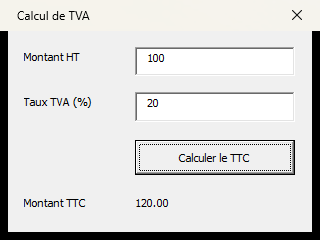
See the Excel macro and UserForm exampleThe Codex integration uses ChatGPT sign-in. Other choices include GitHub Copilot, the OpenAI API, Claude and Gemini, or a separately installed Ollama or LM Studio server. Credentials, subscriptions and tool capabilities depend on the selected provider.
Compare AI connections for VBAVBAi exports standard modules as .bas, classes as .cls, and UserForms as .frm with their .frx resources. Review differences and commit the exported sources to Git, then push to your chosen GitHub repository. A commit does not save the Excel workbook; save the host document separately.
Follow the VBA to GitHub workflowVBAi works inside the Visual Basic Editor (VBE). Its shared foundation uses VBIDE, the VBE automation object model for VBA projects, code modules and components. Host-specific operations and observed qualification vary by application and version. Check the compatibility guide for the exact scope before using a workflow outside the Excel example.
Check host compatibility and limitations
Install the add-in, connect your provider and begin with a copy of a project. The illustrated user guide is included for offline use.